Low latency in a stream means that the picture and sound reach the viewer from the camera with minimal delay. The practical target depends entirely on the use case: interactive live chat requires latency below 50 ms, sports broadcasts work well with 100–500 ms, and traditional OTT streaming can take over 20 seconds to ensure a good viewer experience. Latency is measured in milliseconds (ms), but ultra-low latency In applications, this can fall into microseconds. The most honest metric is glass-to-glass: the time from the camera lens to the viewer's screen, not just the network round-trip (RTT) ping.
- Interactive stream (Q&A, Music Sync): Very low latency
- Live games and chatMild latency
- Sports broadcasts and live eventsModerate latency
- Linear OTT / Catch-upHigher latency
For over 10 years, Television has been providing practical live broadcast solutions in Estonia, particularly in areas where there is no infrastructure. This guide is based on that experience.
Contents
- What is latency in streaming and where does it come from?
- Why does latency affect the viewer’s experience and the quality of production?
- What are the typical latency targets for different scenarios?
- Where does latency come from and how is it measured?
- Millised protokollid vähendavad latentsust ja millal neid kasutada?
- Television.ee’s practical checklist for low-latency production
- What does a low-latency solution cost and how long does it take?
- What should you check just before and during a live broadcast?
- Main conclusions
- What I actually think about latency
- Television can help you solve latency issues
- Selected sources and tools for further study
What is latency in streaming and where does it come from?
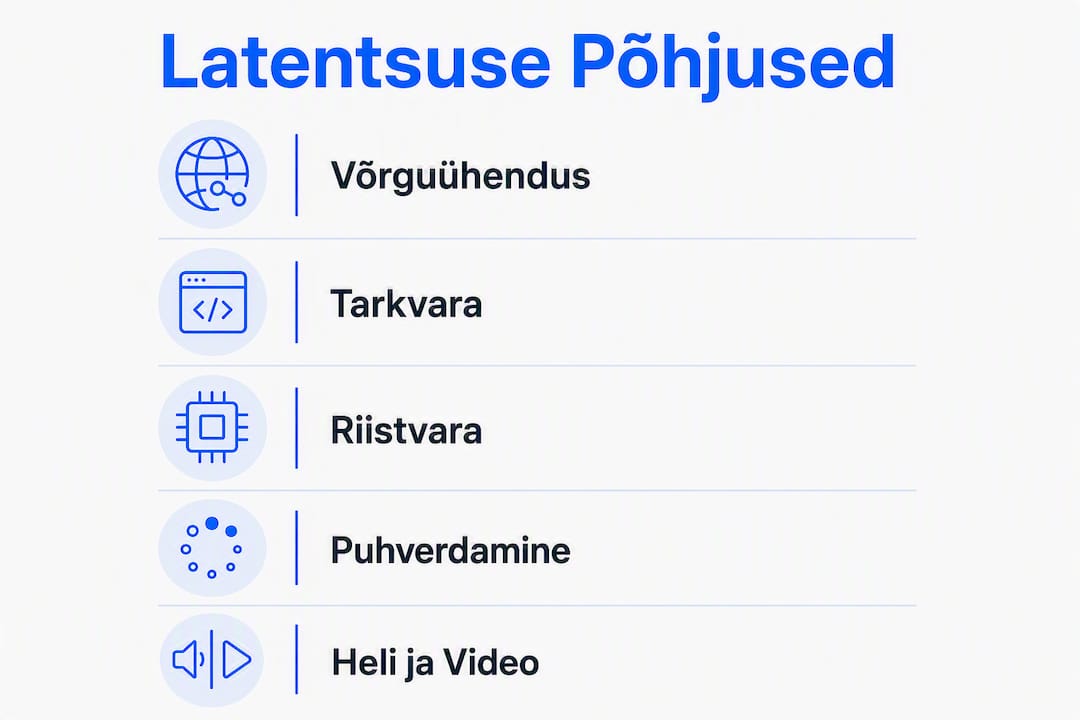
Latency is the delay in a signal travelling from its source to its destination. In streaming, this is not a single figure, but the sum of several components, each of which adds its own milliseconds, and several small amounts add up to a large one.
Network latency is the physical time taken for data packets to travel through a router. RTT (round-trip time) measures the time taken for a round trip; measuring a single direction gives half of this value. In Estonia, local peering is relatively good, but international routes from Tallinn to Frankfurt or London can easily add 20–40 ms.
Encoding latency This places a load on the encoder, which must process the image before transmission. The more complex the codec (H.265 vs H.264), the longer the processing time. The GOP (Group of Pictures) size is critical here: a long GOP means a better picture, but greater latency.
Buffer latency is often the biggest culprit. The player loads several seconds of content into a buffer to protect against interruptions. This is beneficial for stability, but it kills real-time interactivity.
Audio and video latency may also differ from one another. If the audio channel is processed separately via ASIO or WASAPI and the video passes through a more complex encoding chain, a synchronisation delay occurs, which the viewer perceives as „the lips not matching the sound“. The chain looks like this: camera → encoder (adds ms) → CDN edge (adds ms) → player buffer (adds seconds) → screen.
Why does latency affect the viewer’s experience and the quality of production?
| User guide | Target latency | The main risk with high latency |
|---|---|---|
| Interactive Q&A / webinar | every 50 ms | The moderator answers a question the viewer hasn't heard yet |
| Live games | 50–100 ms | The player's command reaches the server too late |
| Sports coverage | 100–500 ms | Social media spoilers before seeing it on screen |
| Linear OTT | over 2 s | Minimal impact; the buffer improves quality and reduces interruptions for viewers |
Latency is particularly noticeable in sports broadcasts: if a viewer sees a goal 8 seconds later than their neighbour, the experience is ruined. In interactive events, the problem is different. If a moderator asks a question and a viewer responds, but the answer arrives 3 seconds later, the conversation becomes awkward.
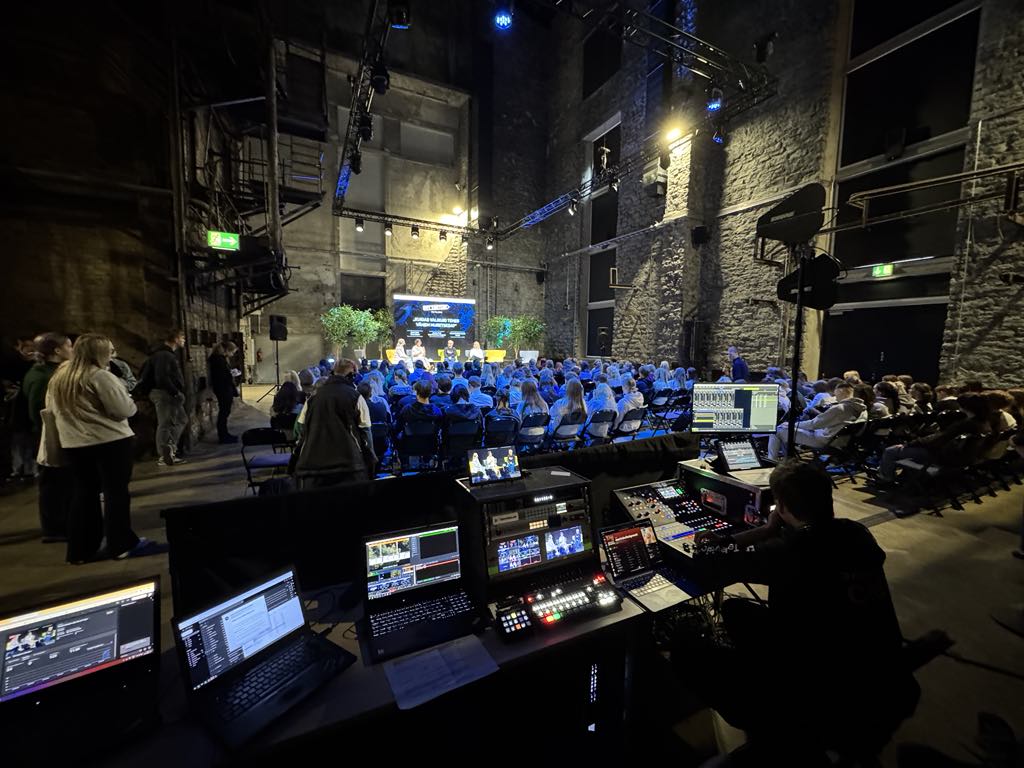
However, low latency is not always the goal. We want to emphasise that slightly higher latency can ensure more stable and higher-quality video, as the system gets more buffering and error correction. For linear streaming, this is a perfectly reasonable compromise.
Professional advice: Before reducing latency, ask yourself: do my viewers need to react in real-time? If not, increasing the buffer will give a better picture without additional investment.
What are the typical latency targets for different scenarios?
Practical estimations divide latency into four categories:
- Every 20 msExcellent, suitable for music synchronisation and real-time interaction
- 20–50 msvery good, most interactive applications work well
- 50–100 msa delay is starting to appear, real-time sensitive tasks are suffering
- Over 100 msproblematic for everyone, where response speed matters
Glass-to-glass measurement provides actual user experience latency and differs from standard network ping measurements. RTT ping only shows the network portion, while glass-to-glass includes encoding, CDN, and player buffer delays. In practice, this means a low RTT ping does not guarantee equally low glass-to-glass latency, as the encoder and player buffer typically add hundreds of milliseconds to several seconds.
When is 500 ms sufficient? For sports broadcasts where viewers are not interacting in real-time with performers. When does it need to go below 50 ms? When you are hosting an interactive conference where the audience is voting, asking questions, or participating live.
Where does latency come from and how is it measured?
The causes of latency can be divided into three main groups.

Network reasons: physical distance from the server, poor routing and packet loss. Network optimisation, good peering and monitoring significantly reduce latency, even if the theoretical line speed remains the same. Wi-Fi introduces additional latency spikes and the risk of packet loss, even with a strong signal. Ethernet is always more stable.
Software and hardware reasonsencoder overflows, GOP size, adaptive bitrate (ABR) switches and operating system level issues. Windows DPC (Deferred Procedure Call) latency can cause audio delays even when the network connection is fine. Often, USB drivers or power-saving features are to blame.
Reasons relating to the CDN and the playerCDN-serveri geograafiline kaugus, mängija puhvri suurus ja ABR-algoritm, mis vahetab kvaliteeti.
How to measure latency step-by-step
- Ping the destination serverstart
ping streaming-server.eeand check the RTT. Anything under 20 ms is good for a server within Estonia. - WinMTR route analysis: Download WinMTR, enter the destination server’s address and let it run for 5 minutes. See where the packet loss starts.
- LatencyMon DPC diagnosticsRun LatencyMon in Windows and check if drivers are causing audio latency. Disabling power saving and updating USB drivers often resolves the issue.
- Glass-to-glass test: synchronised test frame method: take a frame from the film screen showing a millisecond counter, send it through the entire chain and measure the difference between the camera’s image and the player’s display.
- CDN logs and player metricsCheck the CDN dashboard for buffer bloat and player rebuffering events.
Millised protokollid vähendavad latentsust ja millal neid kasutada?
| Minutes | Best use case | Typical latency | Restrictions |
|---|---|---|---|
| WebRTC | Interactive browser-browser, Q&A | every 50 ms | Large-scale, limited CDN support |
| SRT | Point-to-point production link, backhaul | 100–500 ms | Requires a dedicated server |
| LL-HLS | CDN-based live, large audience | 2–5 s | Needs CDN for LL-HLS support |
| Low-latency DASH | HTTP-based, large scale | 3–8 s | Player support is inconsistent |
| RTMP | Encoder-server connection | 1–5 s | It's not suitable for the end-user directly. |
- WebRTC fine, if you need latency under 50 ms and the audience is small (up to a few hundred viewers). The browser supports this natively, but requires a dedicated SFU server for a large audience.
- SRT is the preferred backhaul connection for production teams: encrypted, error-resilient, and works in an unstable network. It is well-suited for mobile production in Estonia, which uses 4G/5G connectivity.
- LL-HLS This is the best option if you need CDN scale and 2-5s latency is acceptable. Larger platforms are increasingly supporting it.
- RTMP remains a link between the encoder and the server, not an end-user protocol.
Professional advice: The combination of SRT and WebRTC works well for hybrid events: SRT for backhaul from production to the server, WebRTC for interactive participants, and LL-HLS for a large audience.
Television.ee practical checklist for producing low-latency streams
Systematic preparation is the only way to keep latency under control at events organised in Estonia, where infrastructure is often lacking.
Eel production
- Network audit: Measure the ping and run WinMTR to the destination server at least 24 hours before the event. Check that your local internet connection supports a sufficient upload speed (at least twice the planned bitrate).
- Ethernet for every critical device: The encoder computer, audio mixer computer and monitoring computer must be connected by cable. Wi-Fi is only a fallback option.
- A dedicated uplink for the streamIf possible, a separate line just for the stream, so that other traffic doesn't affect it.
Settings
- Encoder GOP size: 1–2 seconds (not 4–10 seconds, which is the default setting in many software programmes)
- Keyframe interval: equal to the GOP
- Buffer size for the encoder: the minimum required to ensure stability
- WASAPI or ASIO settings for the sound card: under 10 ms buffer for studio work
- Windows: disable power saving, high performance mode, LatencyMon check before event
Operation during the event
- Real-time ping monitoring to a target server (e.g. PingPlotter)
- Monitoring CDN logs from the dashboard
- Ready backhaul alternative: 4G/5G router as a primary line fails
- Choice of CDN server: one located in Estonia or in Northern Europe, not in the US
- Fast switchover plan: if the CDN shows latency increase, switch to local RTMP/SRT uplink
Television.ee Operators monitor all these parameters in real time, so that the technical team can focus on the content.
What does a low-latency solution cost and how long does it take?
Costs are divided into three tiers, depending on how far you want to go.
Fast and cheap repairs (days to weeks): Ethernet cables, adjusting the encoder settings and disabling Windows power-saving features essentially cost nothing but time. These steps often reduce latency by 30–50 % without any additional investment.
A medium-sized project (2–6 weeks): Changing or adding a CDN, optimising peering and configuring the SRT server. The costs depend on the CDN service’s pricing structure and the technicians’ working hours. In Estonia, it is reasonable to expect a monthly fee for the CDN service ranging from a few dozen to a few hundred euros.
Major architectural change (months): SD-WAN solutions, a dedicated fibre-optic link to the event venue, or optimising the location near a data centre. These are only viable for organisers of regular large-scale events.
Budget planning advice: first decide whether your use case requires latency of less than 500 ms or less than 50 ms. The former can be achieved with your existing infrastructure, whilst the latter requires changes to the protocol and architecture. Do not invest in WebRTC-scale infrastructure if your audience consists of 200 people and there is no interactivity.
What should you check just before and during a live broadcast?
Pre-flight checklist
- Set up the Ethernet connection on the encoder computer
- Send a ping to the target server and check that the RTT is less than 30 ms
- Run WinMTR for 5 minutes and check for packet loss
- Check encoder presets and GOP size
- Test the glass-to-glass latency using a test frame
- Launch LatencyMon and check that the DPC latency is less than 1 ms
- Check the CDN control panel to ensure that the edge is active and geographically close
Real-time monitoring
- Keep the ping monitor open to the target server for the duration of the event
- Monitor buffer fullness and rebuffering events in CDN logs
- Look at the player metrics: if the buffer is growing, latency is increasing
Quick fixes during a live event
- Reduce the player buffer in settings if latency increases
- Adjust the ABR range (e.g., 3–4 Mbit/s instead of 2–4 Mbit/s) to avoid quality switches
- The frame rate is reduced from 60 fps to 30 fps as the encoder load increases
- Switch to local SRT uplink if the CDN is experiencing issues
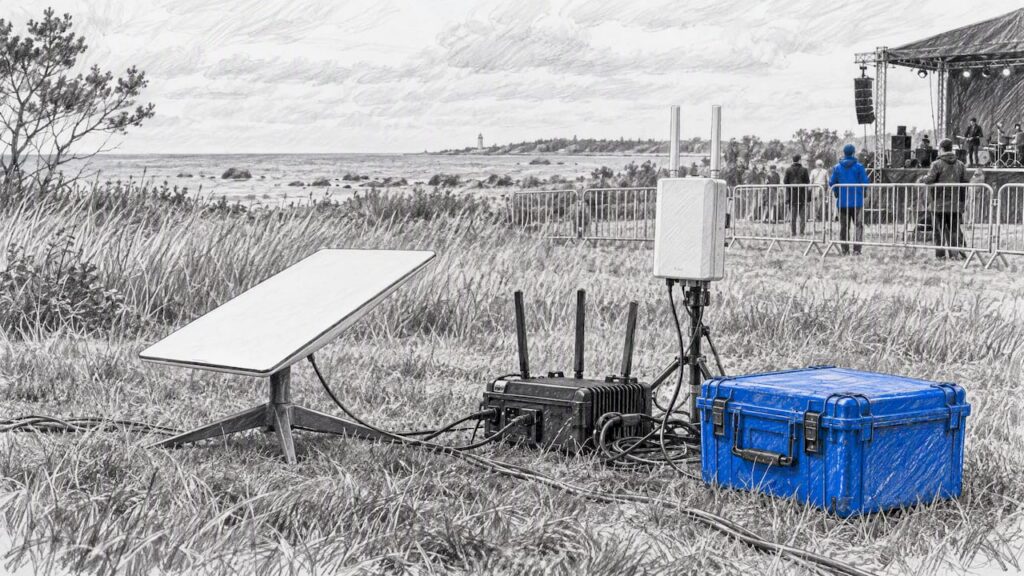
Professional advice: Always keep a 4G/5G router charged and set up as a backup connection. Mobile coverage in Estonia is good, even in rural areas, and it's the cheapest insurance against latency spikes. If you find a location where there's no 4G/5G connection, you can also rent Starlink satellite connectivity from us for production.
Main conclusions
Low latency in a stream is achievable, but requires conscious protocol selection, network auditing, and encoder setup even before the event begins.
| Point | Details |
|---|---|
| Latency targets | An interactive stream requires less than 50 ms; a sports broadcast operates at 100–500 ms. |
| The greatest impact | Ethernet, encoder GOP settings and reducing the player buffer will give the fastest result. |
| Protocol selection | WebRTC for interactivity, SRT for backhaul connections, and LL-HLS for a large CDN-based audience. |
| Measurement | The glass-to-glass test provides the actual viewer experience latency, whilst the RTT ping only reflects the network portion. |
| Television | Offers a comprehensive solution in Estonia: network audit, test beds, local backhaul and operator support during the event. |
What I really think about latency
The topic of latency is one where the fascinating tinkering of technicians and the real needs of a project often diverge.
The situation in Estonia is actually quite good: the local network infrastructure is dense, the country is small, Tallinn’s data centres meet Northern European standards, and mobile coverage allows for SRT backhaul even in the middle of the forest. This means that most latency issues can be resolved without major investment, provided you know where to look.
What really bothers me is that many event organisers invest in a small latency for streaming, but this might not be relevant to the event at all. A latency of a few milliseconds is actually only important for video transmission at the venue, and whether a drag race in Haapsalu is seen in Võru 0.06 seconds or 6 seconds later only becomes significant when there are real-time sports bets involved. The worst that can happen is driving the latency too low, as this removes buffering, and the absence of buffering on the viewer's device means “spinning” if the viewer's connection is intermittent. So yes, we can achieve ultra-low latency quite easily, and you as the event organiser will pay for it, but it might also cause a much worse viewing experience for some viewers.
And one more thing: glass-to-glass measurement is the only fair way to assess latency. Anything else is simply a partial picture.
Television can help you solve latency issues
If latency is critical for your event, then Television's approach is simple: first, we measure, then we solve. Our Live stream production service includes network auditing, test flow, and a local backhaul solution that works even where infrastructure is absent. Over 10 years of experience means we've seen all the latency issues Estonian event venues present.

Television streaming platform supports both LL-HLS and SRT protocols, and our technical team monitors latency in real time throughout the event. Conferences, sports events, podcasts, product launches: the right protocol and setup differ for everyone. Request a project-based quote, and we'll discuss which solution suits your use case.
Selected sources and tools for further study
There are a number of tools and resources that are actually helpful for understanding and measuring latency:
- Ultra-low latency concept explanation (Supermicro): a good starting point for understanding the definition and application areas of ultra-low latency
- Glass-to-glass latency measurement (PC Hardware Pro): explains why glass-to-glass is the only fair metric
- WASAPI settings for low audio latency (PC Hardware Pro): A practical guide to achieving sub-10 ms studio audio latency
- Diagnosing DPC latency in Windows 11 (MundoBytes): Using LatencyMon and steps to optimise Windows
- Comprehensive network latency solution (InformatecDigital): explains why peering and routing matter more than line speed
- WinMTRFree tool for Windows for route and packet loss analysis
- LatencyMon: Windows DPC latency diagnostics, free to download
- PingPlotterReal-time ping monitoring during an event
- Microsoft Teams Ultra-Low Latency streamingA practical example of how the ULL protocol reduces Teams event latency from 30 seconds to a few seconds